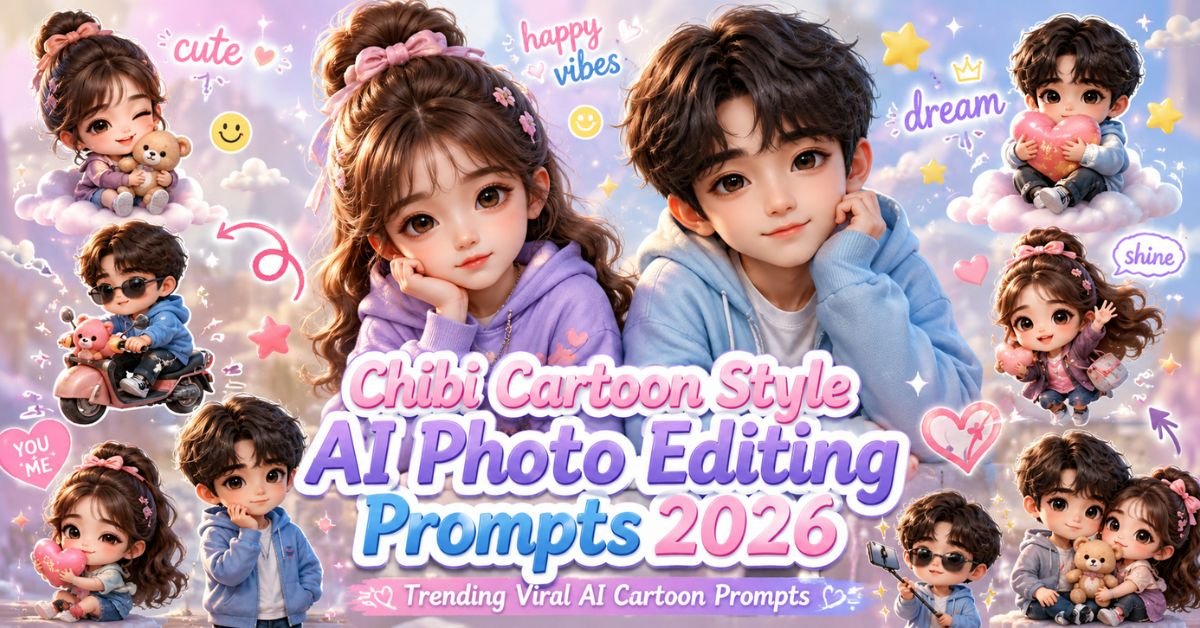
AI cartoon editing is becoming one of the biggest social media trends in 2026, and the Chibi Cartoon Style AI Photo Editing Prompts 2026 trend is currently dominating Instagram, Pinterest, TikTok, and YouTube Shorts. These cute chibi-style edits combine realistic photos with adorable 3D cartoon mini characters, doodles, aesthetic stickers, pastel color tones, and dreamy Korean-style editing.
Creators around the world are using AI tools to transform normal photos into glossy 3D chibi cartoon posters with playful expressions and aesthetic social media vibes. These edits look creative, cute, and highly engaging, which makes them perfect for viral Instagram posts and profile pictures.
The best thing is that you no longer need advanced editing skills or heavy Photoshop work. AI tools like ChatGPT Image Generator, Midjourney, Leonardo AI, Gemini AI, and Flux AI can now create ultra cute chibi cartoon edits within seconds using detailed prompts.
In this article, you will get the best Chibi Cartoon AI prompts, settings, editing tips, prompt variations, use cases, and mistakes to avoid. All prompts are beginner-friendly and ready for copy-paste use.
Why Chibi Cartoon AI Editing Is Trending in 2026?
People love cute and aesthetic content on social media, and chibi cartoon editing perfectly matches that vibe. These edits combine realistic faces with adorable mini cartoon versions of the same person, creating a fun and playful visual style.
These edits are trending because:
- They look cute and eye-catching
- Perfect for Instagram and TikTok
- 3D glossy cartoon effects look premium
- Korean aesthetic editing is trending globally
- Pastel tones create a dreamy atmosphere
- Doodle elements increase engagement
Best AI Tools for Chibi Cartoon Editing
- ChatGPT Image Generator
- Midjourney AI
- Leonardo AI
- Gemini AI
- Flux AI
- Bing Image Creator
- Adobe Firefly
Main Chibi Cartoon Style AI Photo Editing Prompts
Below are the best copy-paste AI prompts for creating viral chibi cartoon style edits.
Prompt 1
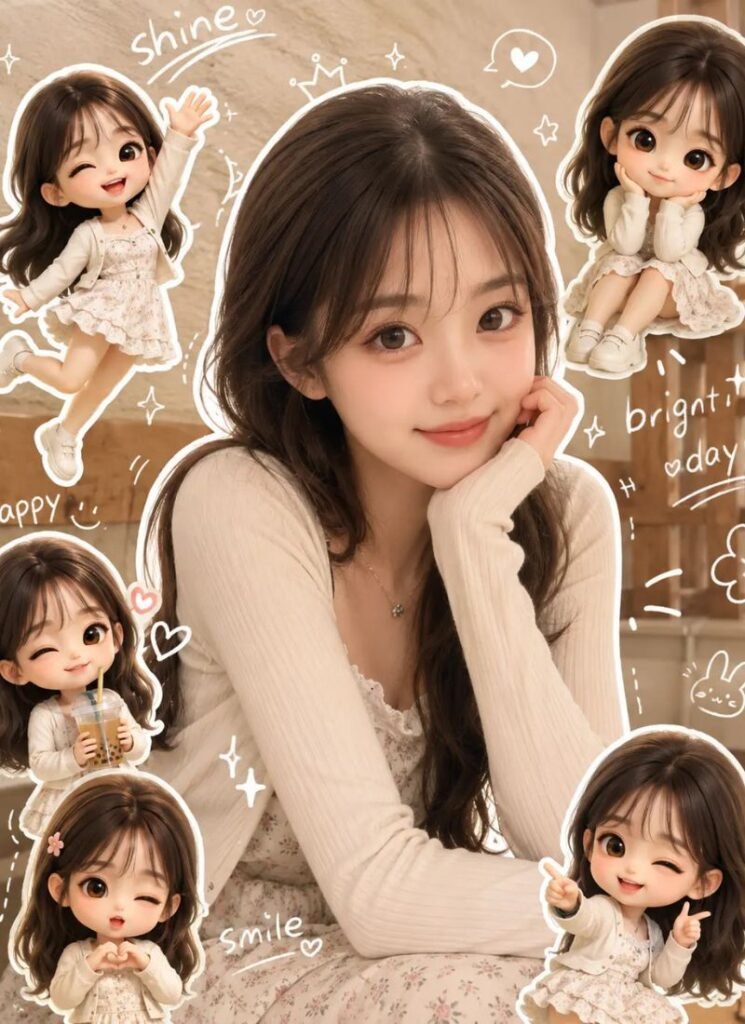
Use a real face as a reference photo The background is the same as in the photo. The lighting is warm, soft, and clean, with subtle shadows. Around the image add several mini chibi (3D cute style) version of the Character, While maintaining the original facial features. Expressions: jumping cheerfully waving sitting relaxed holding a drink cute and playful expressions Add hand-drawn white doodle elements: outline around the main body stars, hearts, sparkless motion lines small cute icons Add aesthetic handwriting such as: “shine,” “bright ” day, “happy, smile, ect. (Casual doodle font) overall style: clean & aesthetic composition white sticker outline soft pastel colour tone high detall 3D chibi glossy look cute korean style instagrammable. 4:5
Prompt 2
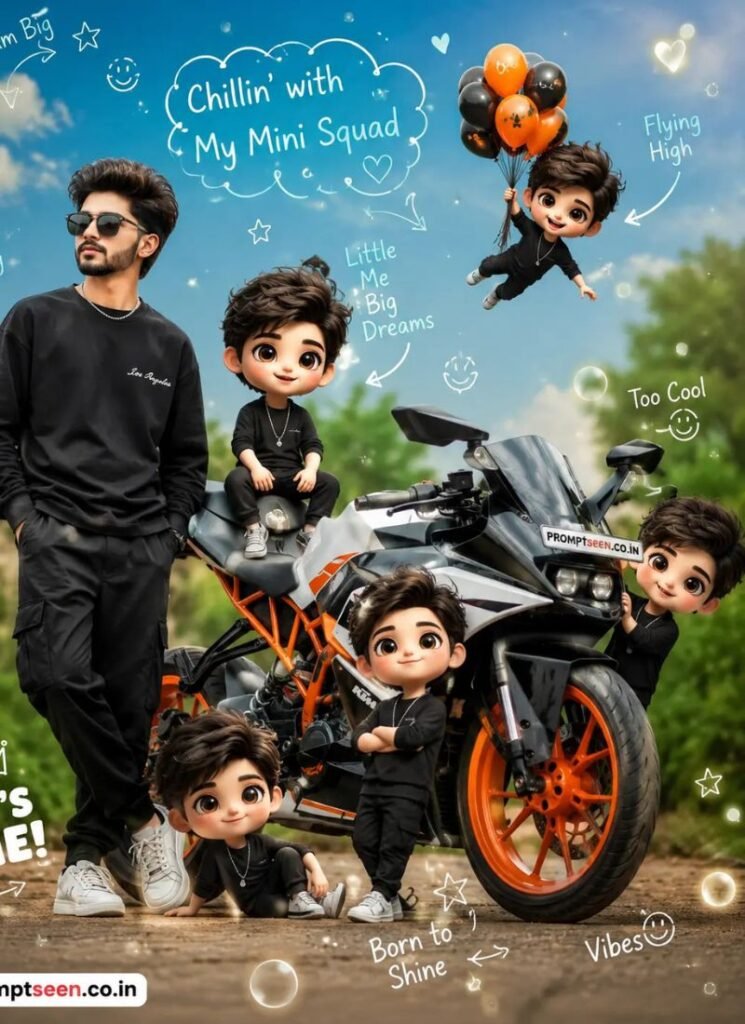
Name : promptseen.co.in Create a viral chibi cartoon AI photo edit from the source image. Keep the real person beside a stylish motorbike as the main subject, then place several mini chibi cartoon clones around the bike, sitting on the seat, standing near the wheels, flying above, and posing cutely. Add handwritten doodles, white chalk-style labels, hearts, stars, smile icons, soft glow circles, dreamy sky, green outdoor background, glossy 3D cartoon characters, realistic shadows, sticker collage composition, Instagram viral editing style, high resolution.
Prompt 3
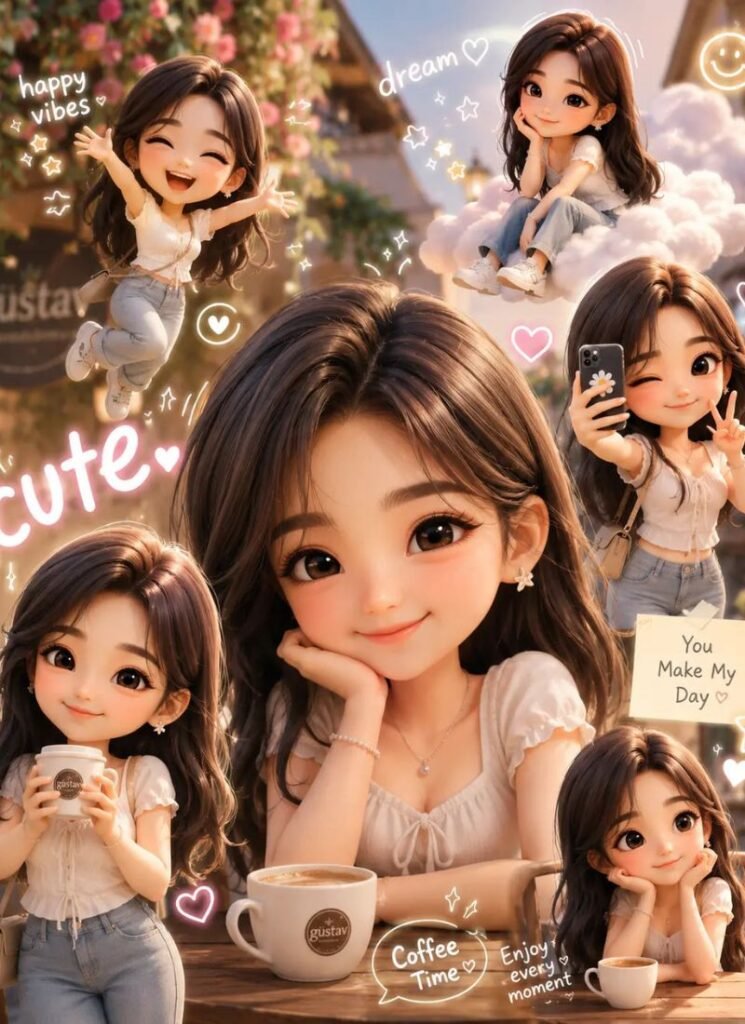
Create an ultra cute 3D chibi cartoon collage using the uploaded image as exact face reference while maintaining realistic facial features and hairstyle. Keep the original outdoor café background with warm cinematic lighting and pastel color grading. Add multiple mini glossy chibi versions of the same person around the frame in playful poses like holding coffee, jumping happily, taking selfies, and sitting casually on floating clouds. Add white doodle-style hearts, stars, smile icons, sparkles, handwritten aesthetic words like “cute”, “dream”, “happy vibes”, and soft glow sticker effects. Use Korean Instagram aesthetic composition, glossy 3D rendering, soft shadows, clean white outlines, dreamy pastel atmosphere, ultra realistic textures, and highly detailed cartoon styling. 4K ultra HD quality, vertical 4:5 ratio.
Prompt 4
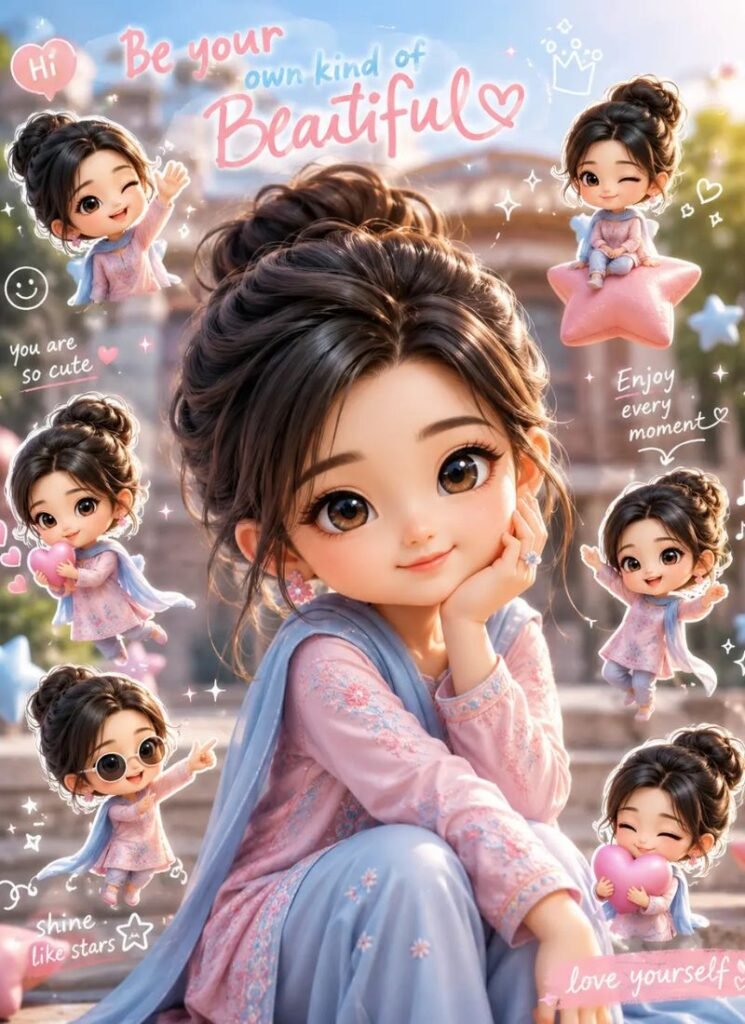
Transform the uploaded portrait into a premium Korean-style 3D chibi cartoon poster while keeping the exact same face and natural expression. Add several adorable mini chibi clones around the subject with playful actions like waving, dancing, holding hearts, and sitting on floating stars. Keep the original background visible with soft blur and warm daylight atmosphere. Add white sticker outlines, aesthetic doodle sketches, sparkles, smile icons, handwritten text elements, and glossy cartoon shadows for viral Instagram style appearance. Use pastel pink and sky blue tones with smooth cinematic lighting and dreamy depth of field. Ultra detailed glossy 3D chibi characters, photorealistic textures, kawaii aesthetic, high resolution, cute Korean editing style, 4:5 ratio.
Prompt 5
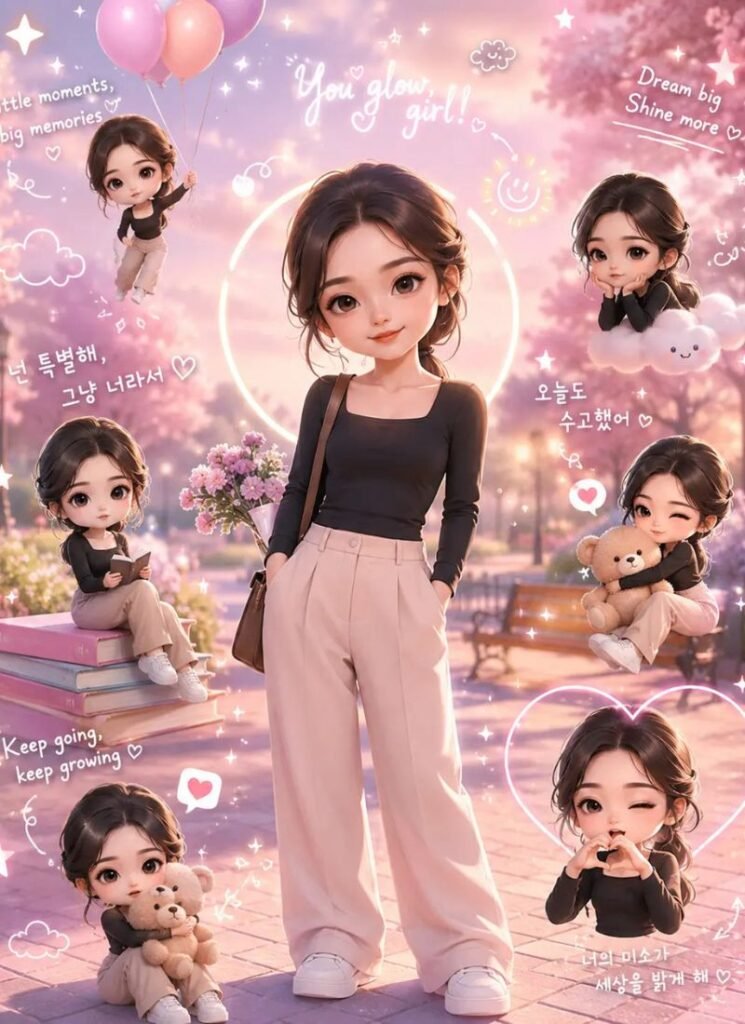
Create a cinematic aesthetic chibi cartoon AI edit from the uploaded image using the exact same face and hairstyle as reference. Place the main subject standing naturally in a dreamy pastel park environment with glowing sunset lighting. Surround the person with tiny glossy 3D chibi versions performing cute actions like flying with balloons, sitting on books, hugging teddy bears, and making heart poses. Add stylish doodle art including stars, clouds, handwritten quotes, smile emojis, arrows, and glowing circles. Use soft pastel pink, lavender, and sky blue tones with clean sticker collage layout and glossy Korean Instagram aesthetic. High detail rendering, cinematic shadows, premium cartoon editing, ultra realistic textures, 8K quality.
What Makes Chibi Cartoon Editing Special?
Chibi cartoon editing is different from normal cartoon filters because it creates detailed 3D mini versions of the real person while keeping the original facial features recognizable. The combination of glossy cartoon textures, doodles, and pastel tones creates a highly aesthetic visual style.
The most important elements in these edits are:
- Mini 3D chibi clones
- Soft pastel colors
- Cute doodle stickers
- Glossy cartoon textures
- Korean aesthetic composition
- Playful cartoon expressions
Best Settings for Chibi Cartoon AI Photos
- Aspect Ratio: 4:5
- Style: Korean Cartoon Aesthetic
- Lighting: Soft Warm Light
- Quality: Ultra HD or 8K
- Rendering: Glossy 3D Cartoon
- Color Tone: Pastel Pink and Blue
- Effects: Sticker Outlines and Doodles
- Depth of Field: Soft Dreamy Blur
How to Create Better Chibi Cartoon Edits?
If you want high-quality chibi cartoon results, then your reference photo should be clean and bright. AI creates better mini chibi characters when the face is clearly visible.
For best results:
- Use HD portrait images
- Keep lighting soft and natural
- Add detailed cartoon pose descriptions
- Use pastel background tones
- Keep doodles minimal and clean
- Use glossy cartoon textures for premium look
Best Use Cases of Chibi Cartoon AI Editing
- Instagram Profile Posts
- TikTok Aesthetic Videos
- Pinterest Cute Artwork
- YouTube Shorts Thumbnails
- WhatsApp DP Editing
- Birthday Poster Designs
- Kawaii Social Media Content
- Couple Cartoon Edits
Common Mistakes to Avoid
- Using blurry reference images
- Adding too many doodles together
- Using dark or dull colors
- Overusing glow effects
- Ignoring facial similarity
- Using messy collage layouts
Expected Output Quality
When you use these prompts correctly, you get:
- Ultra cute 3D chibi cartoon edits
- Glossy Korean aesthetic visuals
- Professional Instagram-ready compositions
- Dreamy pastel atmosphere
- Highly engaging cartoon posters
- Premium social media editing style
Pro Tips for Viral Chibi Cartoon Photos
- Use glossy 3D textures for realism
- Add cute handwritten doodles carefully
- Keep color grading soft and dreamy
- Use playful chibi expressions
- Add floating icons and sparkles naturally
- Use clean white sticker outlines
- Keep the main subject larger than mini chibi clones
Why Chibi Cartoon AI Edits Go Viral?
Chibi cartoon edits instantly attract viewers because they look adorable, creative, and unique. Cute visual styles perform extremely well on Instagram and Pinterest because people love aesthetic and playful content.
These edits become viral because:
- Cute visuals attract instant attention
- Pastel tones look aesthetic
- Glossy 3D effects feel premium
- Doodles increase engagement
- Korean editing style is globally trending
SEO Friendly FAQs
1. What are Chibi Cartoon Style AI Photo Editing Prompts 2026?
These are AI prompts used to create cute 3D chibi cartoon edits with aesthetic doodles, glossy textures, and Korean-style Instagram visuals.
2. Which AI tool is best for chibi cartoon editing?
ChatGPT Image Generator, Midjourney, Leonardo AI, and Gemini AI are among the best tools for chibi cartoon editing.
3. Can beginners create chibi cartoon edits?
Yes, beginners can easily create these edits using copy-paste prompts and clear reference photos.
4. Which aspect ratio works best?
The 4:5 aspect ratio works best for Instagram posts and aesthetic social media content.
5. How can I make chibi cartoon photos more realistic?
Use detailed glossy texture descriptions, soft pastel lighting, realistic face preservation, and clean cartoon compositions.
Final Words
The Chibi Cartoon Style AI Photo Editing Prompts 2026 trend is becoming one of the cutest and most viral AI editing styles because it combines glossy 3D cartoon aesthetics, Korean social media vibes, and playful chibi artwork into one beautiful design.
Using the prompts shared above, you can create adorable Instagram edits, cute posters, aesthetic cartoon profile pictures, and viral social media content in just a few clicks.
Try different doodles, pastel tones, chibi poses, and sticker layouts to create your own unique cartoon AI artwork in 2026.