
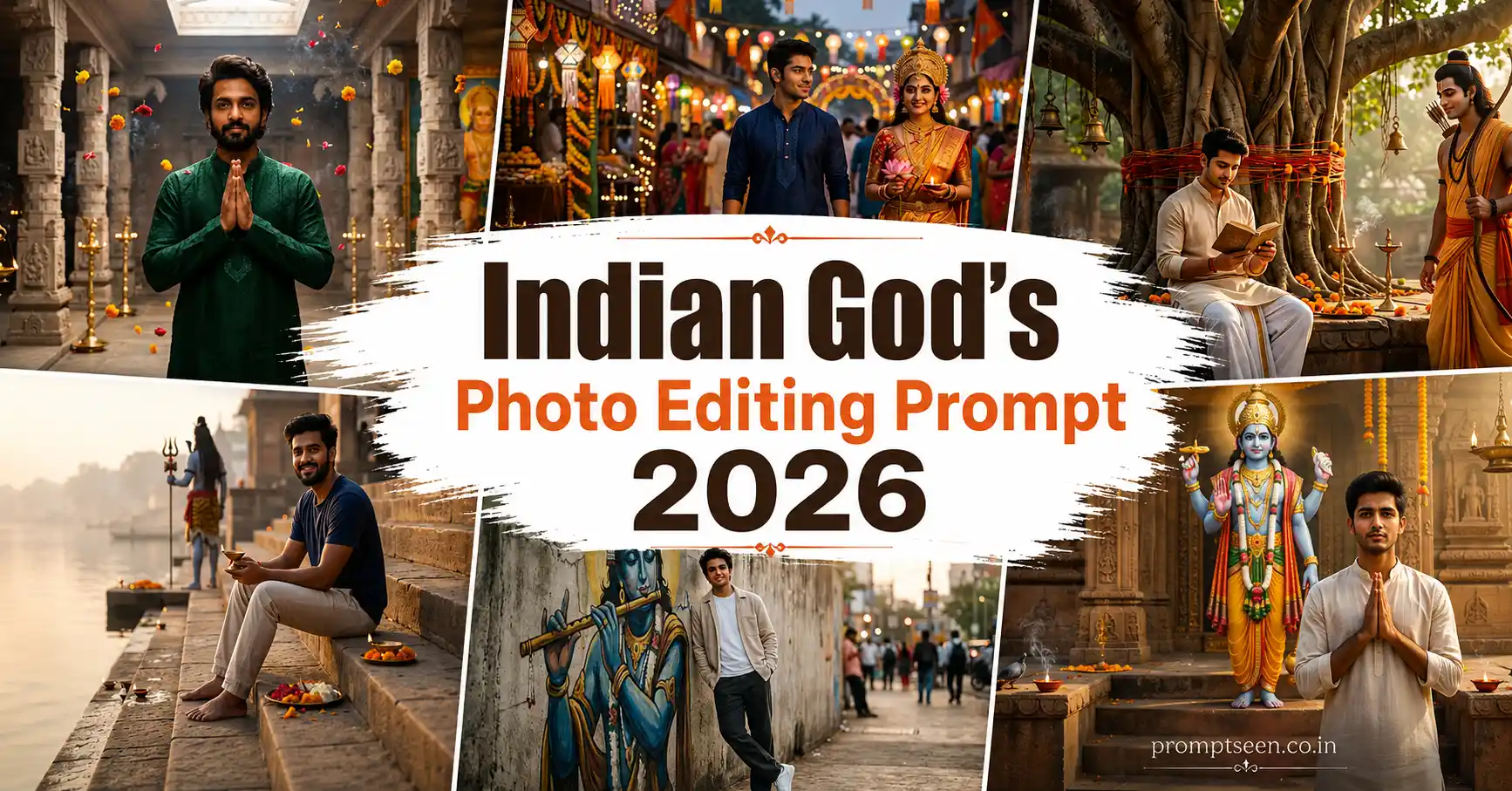
Not every AI image trend is about luxury cars or fashion portraits. Over the last few months, I’ve seen more people creating respectful devotional edits where they appear alongside Indian gods in realistic everyday scenes instead of fantasy worlds.
That small change actually makes the images feel more personal. Rather than placing someone inside an impossible mythical setting, these prompts mix modern photography with devotional emotions in a natural way.
While testing these prompts, I noticed that AI models sometimes exaggerate divine elements if the prompt is overloaded. Keeping the environment realistic and adding only one or two spiritual highlights produced much cleaner images after about three generations.
Start With a Good Reference Photo

The AI can only preserve details that are visible. A sharp portrait with even lighting gives much better facial accuracy than a low-quality selfie taken in a dark room.
I also avoid heavily edited Instagram photos. Natural skin tones almost always generate better results when the final goal is realistic devotional photography.
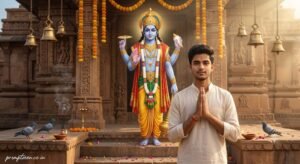
Prompt 1 – Blessing Outside an Ancient Temple
Use the uploaded image only as the facial identity reference. Preserve the exact face shape, hairstyle, skin tone, eyebrows, eyes, nose, lips, beard (if present), and natural expression without changing identity. Create an ultra realistic devotional portrait where the young Indian man stands respectfully with folded hands outside an ancient sandstone temple during the early morning. Behind him appears a calm, divine figure inspired by Lord Vishnu, blessing him with one raised hand while maintaining a graceful and peaceful expression. The surroundings include temple bells, fresh marigold garlands, stone steps, incense smoke, oil lamps, pigeons, and soft flower petals scattered naturally across the courtyard. Gentle sunrise light creates realistic highlights with soft volumetric rays and warm HDR contrast. Hyper realistic DSLR photography, authentic skin texture, premium editorial composition, cinematic depth of field, natural colors, ultra detailed 8K quality. Add a small handwritten signature “promptseen.co.in” in the bottom-left corner using elegant white cursive with slight transparency.
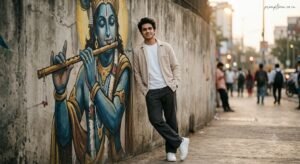
Prompt 2 – Spiritual Wall Art Portrait
Take the uploaded portrait strictly as the facial identity reference and recreate the person’s real appearance with accurate facial proportions, hairstyle, complexion, realistic eyes, and natural body posture. Generate a premium urban portrait where the young man leans casually against a textured concrete wall featuring a massive hand-painted mural inspired by Lord Krishna playing the flute. The subject wears a clean beige overshirt, white t-shirt, relaxed-fit dark trousers, and white sneakers while smiling softly with both hands in his pockets. Warm evening light combines with subtle cinematic backlighting to create realistic shadows and a peaceful atmosphere. Modern street art surroundings, authentic textures, shallow depth of field, premium editorial photography, DSLR realism, soft film grain, HDR lighting, magazine-quality color grading, ultra detailed 8K resolution. Place the handwritten watermark “promptseen.co.in” in the upper-right corner using thin off-white signature lettering.

Prompt 3 – Quiet Moment by the River Ghat
Reference only the uploaded photo for the person’s identity and carefully preserve the authentic face, skin texture, hairstyle, beard, and natural smile. Create a realistic riverside portrait where the young man sits peacefully on wide stone steps near a sacred Indian river during sunrise. In the softly blurred background, a divine figure inspired by Lord Shiva stands near an ancient temple entrance, holding a trident with a calm expression instead of directly facing the camera. The foreground includes lit diyas, flower offerings, temple bells, gentle morning mist, and reflections on the water. Soft golden sunlight creates realistic rim lighting with natural HDR shadows and cinematic depth of field. Hyper realistic full-frame camera photography, luxury editorial quality, ultra detailed skin texture, natural colors, professional portrait composition, 8K Ultra HD. Include a refined handwritten signature “promptseen.co.in” in the lower-right corner using subtle cream-colored cursive.
A Small Detail That Made a Big Difference
At first I kept describing huge glowing halos around every divine figure, but the AI often made the whole image look like fantasy artwork. Reducing those effects and focusing on natural lighting made the portraits feel much closer to real photography.
Another thing that helped was placing the divine figure slightly behind or beside the person instead of directly in front. The composition looked more balanced and the face stayed much more accurate.
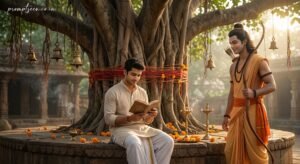
Prompt 4 – Peaceful Banyan Tree Blessing Scene
Use the uploaded image only as the person’s facial identity reference and preserve the exact facial appearance, hairstyle, complexion, eyebrows, lips, eye shape, beard (if present), and natural expression. Create a realistic devotional portrait beneath a centuries-old banyan tree where the young man sits quietly on a stone platform reading a small spiritual book. Nearby stands a graceful figure inspired by Lord Rama, holding a traditional bow while smiling gently toward the subject instead of the camera. The setting includes temple bells hanging from tree branches, scattered marigold flowers, brass diyas, sacred threads tied around the tree trunk, soft incense smoke, and warm early morning sunlight filtering through leaves. Hyper realistic DSLR photography, authentic body posture, natural skin texture, premium cinematic depth of field, HDR lighting, editorial-quality color grading, ultra detailed 8K resolution. Add a small handwritten watermark “promptseen.co.in” in the upper-left corner using elegant white cursive with subtle transparency.
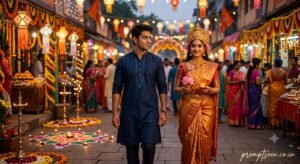
Prompt 5 – Festival Street Devotional Portrait
Take the uploaded portrait strictly as the facial identity reference and recreate the same individual naturally without altering facial structure, hairstyle, complexion, realistic eyes, or body proportions. Design a vibrant evening festival scene where the young man walks through a beautifully decorated Indian street while smiling softly. Beside him appears a divine figure inspired by Goddess Lakshmi gracefully walking with lotus flowers in her hands, creating a peaceful and respectful atmosphere. Decorative lanterns, rangoli artwork, flower garlands, festive lights, temple flags, and softly blurred crowds fill the background. Warm evening lighting mixed with decorative festival illumination creates realistic reflections and cinematic shadows. Professional full-frame camera photography, natural colors, premium editorial composition, HDR, shallow depth of field, realistic skin texture, ultra detailed 8K quality. Include the handwritten signature “promptseen.co.in” near the bottom-right corner using elegant off-white cursive lettering.
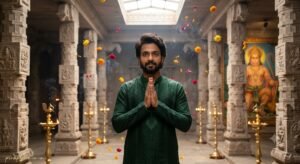
Prompt 6 – Temple Corridor Editorial Portrait
Reference the uploaded image only for the person’s identity and preserve accurate facial geometry, natural hairstyle, complexion, beard details, and realistic expressions. Create a premium portrait inside a magnificent temple corridor lined with carved stone pillars and glowing brass lamps. The young man stands confidently with folded hands while a majestic mural inspired by Lord Hanuman fills the background wall, illuminated by soft natural skylight entering through the temple roof. Add floating flower petals, subtle incense smoke, polished stone flooring, and realistic architectural textures. Soft daylight combines with warm lamp lighting for balanced cinematic contrast and natural skin tones. Hyper realistic editorial photography, DSLR realism, professional portrait framing, ultra detailed textures, shallow depth of field, HDR, luxury color grading, 8K Ultra HD. Add a delicate handwritten “promptseen.co.in” watermark in the lower-left corner using thin cream-colored signature styling.
Changing the Background Without Rewriting Everything
One thing I like about this style is that you don’t have to rewrite the whole prompt every time. After generating one good portrait, I usually keep the identity instructions exactly the same and only replace the location.
For example, the same prompt works surprisingly well with a temple entrance, a riverside ghat, an old palace courtyard, or even a quiet village street during a festival. The face stays much more consistent when only one part of the prompt changes.
What Worked Better Than I Expected
I tested both dramatic fantasy backgrounds and realistic photography scenes. The realistic scenes almost always looked more believable because the divine elements blended naturally instead of overpowering the image.
Another thing I noticed was that keeping only one divine figure in each composition produced cleaner storytelling. When I tried adding multiple gods together, the AI often struggled with proportions and background details.
Easy Ways to Create More Variations

- Replace the temple with an ancient fort courtyard.
- Generate a peaceful sunrise version instead of a nighttime scene.
- Swap traditional clothing for simple modern casual outfits.
- Create a monsoon devotional portrait with light rain.
- Use a village festival background instead of a city location.
- Place the subject near a sacred river instead of temple steps.
- Create a minimal studio portrait with a devotional mural behind the subject.
- Generate a soft black-and-white cinematic version.
These small changes usually create completely fresh images without affecting facial identity or the overall devotional mood.
Frequently Asked Questions
Which AI image generator gives the most realistic results?
These prompts work well with ChatGPT Images, Gemini, Flux, Ideogram, and similar AI image generators that support image reference. A clear reference photo is usually more important than the platform itself.
Can I replace one god with another?
Yes. You can change the divine figure while keeping the overall composition the same. For example, replace Lord Shiva with Lord Krishna or Goddess Lakshmi with Goddess Saraswati, depending on the style you want.
Why does the AI sometimes change my face?
This usually happens when the uploaded photo is blurry, heavily filtered, or taken from an unusual angle. A front-facing image with natural lighting gives much better identity preservation.
Can I use these prompts for Instagram Reels and YouTube Shorts?
Absolutely. These vertical and cinematic portraits are suitable for Instagram posts, Reels covers, YouTube Shorts thumbnails, Facebook posts, and WhatsApp status updates.
Can I change the location but keep the same pose?
Yes. That’s actually one of the easiest ways to create new variations. Keep the identity instructions and pose the same while replacing only the background with another temple, mural, street, or festival setting.
A Few Mistakes I Made While Testing
The first few generations weren’t perfect. I kept adding too many glowing effects, dramatic skies, and oversized divine symbols. The result looked more like digital fantasy art than photography.
After simplifying the prompts, the AI produced much cleaner compositions. Keeping realistic lighting and using just one strong devotional element made a noticeable difference.
I also stopped describing every piece of clothing in detail. Surprisingly, shorter outfit descriptions often looked more natural because the AI focused on facial accuracy instead of tiny costume details.
Where These Prompts Work Best
These devotional portraits aren’t limited to one platform. They work well for personal projects and social media where respectful religious-themed artwork is appropriate.
- Instagram posts and Reels covers
- Facebook devotional pages
- WhatsApp display pictures
- YouTube community posts
- Festival greeting designs
- Phone wallpapers
- Digital devotional artwork
- Personal social media profiles
Expected Output
With a good reference image, the finished portrait should look like a professional photograph instead of an AI painting. You can expect realistic facial details, balanced lighting, natural skin tones, authentic body proportions, and a respectful devotional atmosphere.
The final result usually feels strongest when the spiritual elements support the story rather than dominating the entire image.
Final Thoughts
A good Indian God’s Photo Editing Prompt isn’t about making the brightest or most dramatic image. The most memorable portraits usually keep the person looking completely natural while introducing devotional elements in a respectful and believable way.
Don’t be afraid to experiment with different locations, clothing, seasons, or lighting styles. Once you have a prompt that preserves facial identity well, you can create dozens of fresh variations by changing only the environment or the inspired divine figure.
I’ll continue testing new devotional editing trends as AI image models improve throughout 2026. Whenever I find a prompt that consistently produces realistic, respectful results instead of over-processed fantasy artwork, I’ll add it to this collection so you can start with something that’s already been tried in practice.