
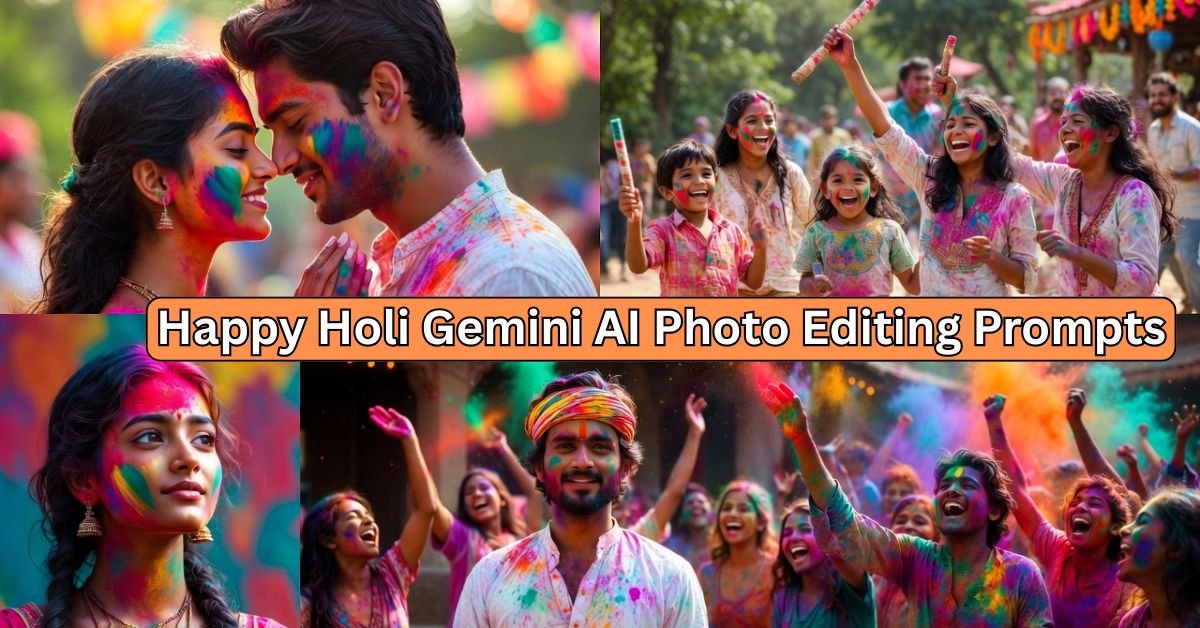
This Holi 2026 Gemini AI photo editing prompt adds colorful festival vibes to your photo.
It keeps your real face unchanged while adding powder colors, gulal splashes, and joyful Holi elements.
It trends because creators make viral Instagram Reels and TikTok videos with bright, festive edits that celebrate Holi in a fun, modern way.
Tool Compatibility
 4 Best Birthday Prompt for chatgpt & Gemini
Use these prompts in:
- Google Gemini AI (free app or web)
- ChatGPT with image editing plugins
- Midjourney or DALL-E for advanced variations
- CapCut for combining with video edits
Happy Holi Gemini AI Prompt (Best one)
Copy-paste this prompt directly into Gemini AI after uploading your reference photo:
Edit this uploaded photo for Holi 2026 festival theme: keep the original face absolutely unchanged, no alterations to facial features, skin tone, expression, or hair; add vibrant Holi powder colors like pink, blue, green, yellow gulal splashed gently on clothes and background; include subtle festival elements like water balloons, pichkari, thandai glass in background; ultra fine detailing on color textures, realistic powder dust particles in air, joyful atmosphere; natural sunlight lighting, high contrast colors, ultra realistic 8K HD quality, no blur, sharp details on eyes, lips, and clothing fabrics; trending viral style with colorful festive glow.Prompt Explanation
This prompt tells Gemini AI to edit your photo with Holi colors and items.
 3 Viral Cinematic Eyes View Prompt 2026
It keeps your face 100% real and adds fun festival touches like gulal and balloons.
Result looks like you celebrate Holi in a bright, happy way.
Best Settings / Tips
- Style: Ultra realistic, colorful festival vibe
- Lighting: Natural golden hour sunlight for warm glow
- Quality: 8K HD, high detail on colors and textures
- Realism: Keep face absolute real, no cartoon or change
- Upload clear photo with good face view
- Use Gemini app for fast mobile edits
Prompt Variations
Variation 1: Romantic Couple Holi Edit
 Loose Outfit Photo Editing Prompt 2026
Edit this uploaded couple photo for Holi 2026: keep both original faces absolutely unchanged, no modifications to features, expressions, or skin; add romantic pink and red gulal colors splashed softly on faces and clothes, heart-shaped powder patterns in air; include subtle elements like rose petals, thandai cups, pichkari; ultra detailed textures on gulal, realistic color blending on skin without covering eyes or mouth; soft romantic lighting, golden sunset glow, ultra realistic 4K quality, sharp fine details on jewelry and smiles; trending couple reel style with joyful festive mood.Variation 2: Family Fun Holi Celebration
Edit this uploaded family photo for Holi 2026 theme: maintain all original faces 100% real, no changes to any facial details, ages, or expressions; splash multi-color gulal like yellow, green, blue on clothes and ground; add family-friendly elements like sweets, water guns, balloons in background; ultra fine detailing on powder particles floating, realistic shadows and highlights; bright daytime lighting, high saturation colors, 8K HD realism, crisp edges on hair and outfits; viral family video style with happy energy.Variation 3: Solo Portrait with Holi Glow
Edit this uploaded solo portrait photo for Holi 2026: preserve the original face completely unchanged, absolute real look with no edits to eyes, nose, mouth, or skin texture; apply glowing orange and purple gulal lightly on cheeks and hair; include trending elements like holographic color bursts, flower garlands; ultra detailed color gradients, realistic powder shine under light; dramatic studio lighting with color reflections, ultra high-res 8K, fine skin pores and hair strands visible; popular Instagram glow-up style for festive posts.Variation 4: Group Friends Holi Party
Edit this uploaded group friends photo for Holi 2026 party: keep every original face absolute real and unchanged, no alterations to features or poses; cover scene with vibrant rainbow gulal throws, color clouds in air; add party items like music speakers, dhol drum, colorful water; ultra precise detailing on splashes, realistic wet color effects on clothes; fun outdoor lighting, blue sky background, 4K ultra HD quality, sharp focus on laughs and actions; trending group reel edit with energetic vibe.Variation 5: Traditional Holi with Cultural Touch
Edit this uploaded photo for traditional Holi 2026: retain original face exactly as is, no changes to cultural features, expressions, or authenticity; add earthy red, saffron, green gulal in traditional patterns; include cultural elements like bonfire, radha-krishna idols, sweets plate; ultra fine traditional texture details, realistic smoke and fire glow; warm evening lighting, cultural depth, 8K realistic quality, detailed embroidery on clothes; viral cultural festival style for heritage posts.Example Use Cases
- Social media: Post edited Holi photos on Instagram for likes
- Reels editing: Add to CapCut for short festival videos
- Family sharing: Edit group pics for WhatsApp status
- Content creation: Use in YouTube Holi vlogs
- Personal fun: Make festive profile pictures
 Trending AI Cricket Stadium Video Editing 2026
Common Mistakes to Avoid
- Changing face: Always say “keep original face unchanged”
- Low detail: Forget “ultra fine detailing” for blurry results
- Wrong lighting: Skip lighting tips for dull colors
- Over edit: Add too many elements, keep subtle
- Bad upload: Use unclear photo, face gets distorted
Expected Output Description
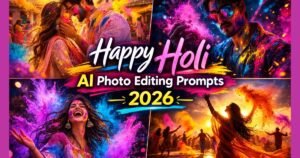
You get a vibrant Holi-themed photo with real face intact.
Colors splash naturally, elements blend seamlessly, looks ultra real and festive.
Perfect for sharing, high detail makes it viral-ready.
Pro Tips for Better Results
- Upload high-res photo for sharper edits
- Test variations to match your style
- Add “2026 trending” for latest viral looks
- Combine with music in CapCut for reels
- Share with #Holi2026 #GeminiAI for more views
SEO-Friendly FAQs
What is Holi 2026 Gemini AI photo editing prompt?
It is a copy-paste text that edits your photo with colorful Holi festival themes using Gemini AI, keeps real face unchanged.
How to use Gemini AI for Holi photo edits?
Upload photo to Gemini, copy prompt, paste and generate. Keeps face real with ultra details.
Can I keep my face unchanged in Holi edits?
Yes, prompts say “keep original face absolutely unchanged” for real look.
Why are these Holi prompts trending in 2026?
They make viral, colorful festival photos easy for Reels and posts, with fine details.
Which tools work best for these prompts?
Google Gemini AI is best, also ChatGPT or Midjourney for variations.