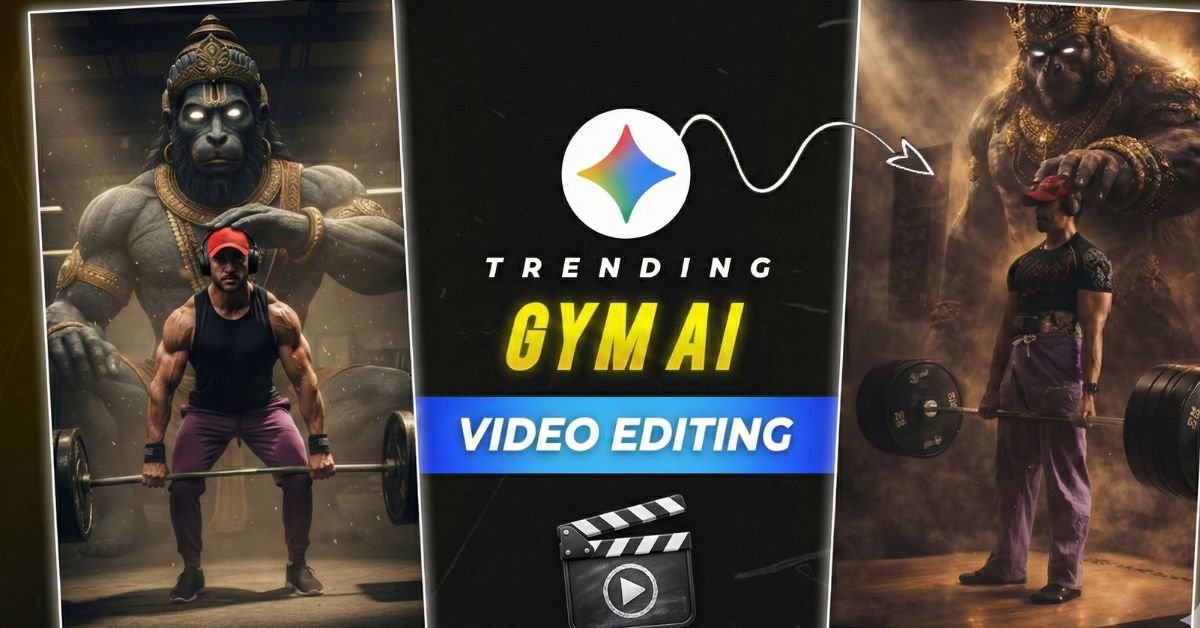
Gym content is exploding again in 2026 – and the videos that get millions of views are not just normal workout clips anymore.
Creators who use AI video editing with cinematic transitions, dramatic slow-motion, glowing text animations, and perfect beat sync are winning Instagram Reels, YouTube Shorts, and TikTok every single day.
In this 2026 guide you will discover:
- Most viral gym AI editing styles right now
- Best AI tools for gym videos
- Ready-to-use trending templates & prompts
- Step-by-step editing tricks
- How to make your gym reels go viral fast
Let’s make your next gym video look like a Hollywood trailer!
Why Gym AI Video Editing is Trending in 2026
People scroll very fast. Normal gym videos get ignored.
But videos that have:
- Cinematic zoom + freeze frame
- Neon/glow overlays
- Powerful bass drop sync
- Transformation split-screen
- Motivational AI text animations
…stop the scroll and get shared like crazy.
AI tools make these pro-level effects possible even if you have zero editing experience.
Tool Compatibility – Best AI Tools for Gym Videos 2026
- CapCut – best free mobile + PC option (templates + auto beat sync)
- Runway Gen-3 / Gen-4 – realistic image-to-video & lip-sync
- Pika.art 2.0 / 2.1 – fast motion, lip-sync & viral short clips
- Viggle AI – character animation & dance moves for gym poses
- Leonardo.Ai + Kling AI – high-quality motion & character control
- Kaiber / Luma Dream Machine – dream-like cinematic gym visuals
Main Trending Gym AI Video Editing Styles 2026
1. Cinematic Transformation Glow (Most Viral Right Now)
Before → After split screen with glowing outline + dramatic zoom
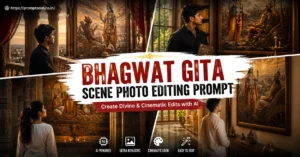
 Indian God’s Photo Editing Prompt 2026
2. Neon Cyberpunk Gym Edit
Dark gym + neon lights + futuristic text + heavy bass sync
3. Slow-Mo Power Drop
Ultra slow-motion lift → sudden speed-up on beat drop
4. Main Character Gym Intro
AA23 / Pushpa style character introduction for gym motivation
 Childhood Photo Editing Prompts 2026
5. AI Face Swap + Body Progress
Show your face on shredded AI body (motivation + fun)
How to Create Trending Gym AI Videos – Step by Step
- Record your gym clip (front + side + lift moments)
- Open CapCut (or your chosen AI tool)
- Search templates: “gym transformation 2026”, “cinematic gym”, “neon workout”
- Import your video/photos
- Replace placeholder clips with your footage
- Change text to motivational quotes or your name
- Sync beat markers with your strongest lift moments
- Add glow / particle effects from effects menu
- Export in 1080p or 4K → 9:16 vertical
- Post with trending audio + hashtags
Best Settings & Tips for Viral Gym Videos
- Export: 1080p or 4K, 30–60 fps
- Length: 8–18 seconds for Reels / Shorts
- Use trending gym audios (search “gym motivation 2026” in CapCut / Instagram)
- Hashtags: #GymMotivation #Transformation #AIEdit #GymReels2026 #FitnessJourney
- Lighting: bright gym or dramatic contrast works best
- Slow-motion: 50–70% speed on key lifts

Prompt Variations for AI Video Tools (Runway, Pika, Kling, etc.)
- “Cinematic gym transformation, man lifting heavy barbell, dramatic slow motion, neon blue and purple lights, glowing energy particles around body, motivational movie style, ultra realistic, 8k”
- “Cyberpunk gym at night, muscular woman doing deadlift, futuristic neon signs, rain effect, heavy bass drop sync, intense look, high detail, 2026 viral reel style”
- “Before and after gym progress, split screen, skinny to shredded body, glowing outline transition, powerful zoom in, motivational text animation, cinematic color grade”
- “Main character gym intro, confident man walking into gym, freeze frame on bicep flex, AA23 style text reveal, particle explosion, Hollywood trailer vibe”
- “Slow motion deadlift in dark moody gym, sweat flying, golden hour light rays, dramatic music sync, ultra detailed skin texture, 4k”
Example Use Cases
- Instagram Reels – daily gym motivation posts
- YouTube Shorts – transformation series
- TikTok – funny gym AI face swap videos
- Personal brand – coach / trainer intro reels
- Fitness challenge – before & after series
Common Mistakes to Avoid
- Using blurry or dark gym footage
- Wrong aspect ratio (must be 9:16 vertical)
- Overloading too many effects (looks cheap)
- Not syncing transitions with beat drops
- Posting without strong hook in first 2 seconds
- Ignoring trending audio
Expected Output Description
Your final video feels like a mini action movie: powerful slow-motion lifts, glowing energy effects, sharp text animations, perfect music sync, and a strong emotional hook. These videos usually get 5×–20× more views than regular gym clips when posted correctly.
Pro Tips for Better Results
- Start with a strong hook (zoom on face or heavy lift in first 1–2 sec)
- Post at peak times (6–9 PM in your audience time zone)
- Reply to comments asking for template → share your CapCut link
- Make 2–3 variations and test which one performs best
- Collaborate with other gym creators for duets / stitches
SEO-Friendly FAQs
What is trending gym AI video editing in 2026?
It is the use of AI tools like CapCut, Runway, Pika, and Kling to create cinematic, slow-motion, neon, transformation, and motivational gym videos that go viral on Instagram and TikTok.
Which is the best free tool for gym AI video editing?
CapCut is still the best free option in 2026 because of thousands of gym templates, auto beat sync, and easy glow + particle effects.
How to make gym transformation video with AI?
Use split-screen templates in CapCut or generate before/after clips with Runway Gen-3, then add glowing transitions and motivational text.
Are AI gym videos allowed on Instagram and TikTok?
Yes – as long as you follow community guidelines and clearly show it is edited content when required.
Which hashtags should I use for gym AI reels in 2026?
Use: #GymMotivation #TransformationTuesday #AIEdit #GymReels #Fitness2026 #WorkoutVibes #GymTok #ViralReels