
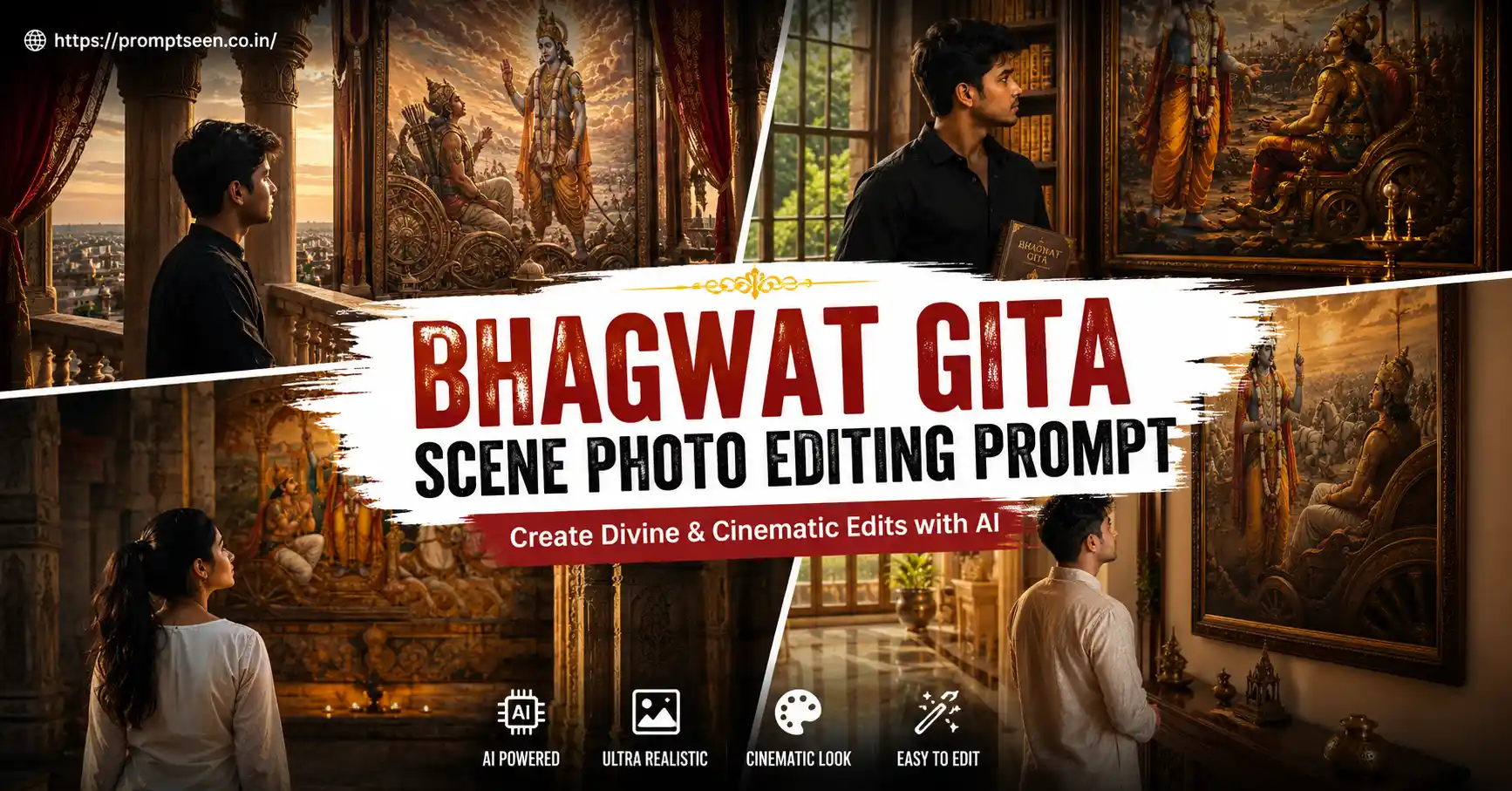
Spiritual AI portraits are becoming one of the biggest editing trends this year. Instead of dramatic fantasy artwork, people are creating calm, respectful scenes where they appear as a silent observer in front of an iconic Bhagwat Gita moment.
If you want that same premium look, these original prompts will help. I tested several versions before putting this article together, and the biggest improvement came from using a clean portrait photo with natural lighting instead of heavily filtered selfies.
The prompts below are inspired by the current visual trend but are written from scratch with different compositions, lighting, poses, and framing.
Why This Style Looks So Real
 10 Best Holi AI Prompts 2026 | happy holi images
The idea isn’t to place yourself inside the Mahabharata battlefield. Instead, the scene feels like a thoughtful moment where you’re admiring or reflecting on the teachings of Lord Krishna and Arjuna through artwork, architecture, or temple-inspired spaces.
That creates a premium editorial look while keeping the image elegant and cinematic.
Bhagwat Gita Scene Photo Editing Prompts
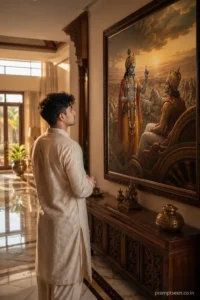
Prompt 1 — Luxury Gallery Reflection
Use the uploaded image only as the facial identity reference and faithfully preserve the person’s face, hairstyle, skin tone, facial proportions, expression, and natural appearance without beautifying or changing identity. Create an ultra-realistic portrait inside an elegant Indian villa featuring a grand hallway with polished marble flooring and soft wooden décor. The subject is standing quietly near a large framed Bhagwat Gita artwork showing Lord Krishna explaining the Gita to Arjuna before the Kurukshetra war. The subject is viewed from a gentle rear three-quarter angle while looking toward the painting with hands loosely joined in front. Warm morning sunlight enters through tall windows, creating natural highlights and soft reflections. Editorial DSLR photography, premium realistic textures, cinematic depth, crisp details, vertical composition, ultra-high resolution. Place the small text “promptseen.co.in” in the bottom-right corner.
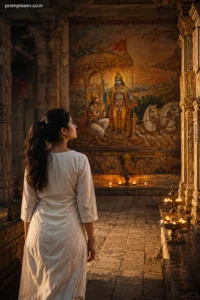
Prompt 2 — Temple Corridor Portrait
Take the uploaded portrait as the exclusive identity source. Maintain every recognizable facial feature, eye shape, hair texture, jawline, complexion, and natural look exactly. Create a peaceful temple-inspired stone corridor where the subject slowly walks toward a magnificent mural depicting Lord Krishna guiding Arjuna with divine light illuminating the chariot. The camera captures the scene from behind with a slight side profile visible while the subject gently turns toward the artwork. Golden evening light mixes with traditional oil lamps to produce realistic cinematic shadows. Photorealistic camera quality, premium color grading, natural depth of field, highly detailed 8K realism. Add a minimal “promptseen.co.in” signature in the upper-left corner.
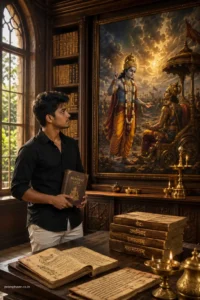
Prompt 3 — Library of Wisdom
Use the uploaded photograph to preserve the exact identity including facial geometry, hairstyle, natural skin texture, lips, nose, and eyes without modifications. Design a luxurious reading hall filled with Sanskrit manuscripts, carved wooden shelves, and elegant brass lamps. A large canvas portrays Lord Krishna revealing the Bhagwat Gita to Arjuna with dramatic clouds and radiant divine light in the distance. The subject stands beside a reading table holding a closed Bhagwat Gita while quietly observing the painting. Soft indoor lighting blends with window light for realistic highlights and shadows. Premium editorial photography, natural skin detail, ultra-photorealistic finish, high-resolution vertical image. Include a tiny “promptseen.co.in” watermark in the lower-left corner.
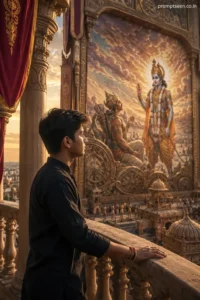
Prompt 4 — Palace Balcony View
Reference only the uploaded face and retain authentic identity, hairstyle, facial proportions, complexion, and expression precisely. Generate a cinematic scene from a royal palace balcony overlooking an enormous artistic fresco of Lord Krishna and Arjuna surrounded by majestic architecture and flowing silk banners. The subject rests one hand on the carved stone railing while peacefully looking toward the artwork rather than facing the camera. Soft sunset light creates warm orange highlights with realistic ambient shadows across the surroundings. Professional camera realism, rich textures, natural color balance, shallow focus, ultra-detailed vertical portrait. Position the small text “promptseen.co.in” in the top-right corner.
A Small Thing I Noticed During Testing
One prompt generated an overly dramatic battlefield on the first attempt. Regenerating the image twice while using a clean front-facing source photo produced much better facial accuracy and a calmer spiritual atmosphere.
If your face looks slightly different, don’t immediately rewrite the prompt. Try another generation with the same prompt before making changes.
Best Results
- Use a high-resolution selfie without beauty filters.
- Avoid sunglasses, caps, or partially hidden faces.
- Portrait photos with soft daylight work better than dark indoor selfies.
- Keep facial expression natural.
- Generate two or three versions before selecting the final image.
Can You Use These Prompts in Gemini?
Yes. These prompts also work well with Gemini and other modern AI image generators that support detailed text prompts. Small wording adjustments may improve results depending on the model you use.
You can also read Google’s official AI image documentation here:
https://gemini.google.com/
Frequently Asked Questions
Can I use my own face with this Bhagwat Gita Scene Photo Editing Prompt?
Yes. Upload a clear portrait so the AI can preserve your identity accurately.
Which aspect ratio gives the best result?
A vertical portrait works best for Instagram Reels, Shorts, and wallpapers.
Will this work with ChatGPT image generation?
Yes, provided the image model supports detailed prompt-based editing or image generation.
 Trending Boy Prompt 2026
Why does my face sometimes change?
Low-quality source images, heavy filters, or side-angle selfies usually reduce facial consistency.
Can I replace the painting with another Bhagwat Gita artwork?
Absolutely. You can describe any respectful artistic depiction of Lord Krishna and Arjuna while keeping the same composition.
Final Thoughts
This Bhagwat Gita Scene Photo Editing Prompt focuses on creating a peaceful, respectful, and premium-looking portrait instead of an exaggerated fantasy scene. Small changes like natural lighting, realistic interiors, and a thoughtful pose make the final image feel much more authentic.
 Car and Bike Photo Editing Prompt 2026
Try these prompt variations with different source photos, compare two or three generations, and you’ll usually find one that looks surprisingly realistic.